
What Is a Moodboard? Popular Types of Moodboards
In the dynamic and ever-evolving world of interior design, effectively conveying ideas in a visual and impactful way is essential. A moodboard is one of the most useful tools for designers and anyone passionate about decorating living spaces, helping to bring their visions to life. So what exactly is a moodboard, and why has it become an indispensable part of the design process? Let’s explore this topic with Mộc Phát.
What Is a Moodboard?
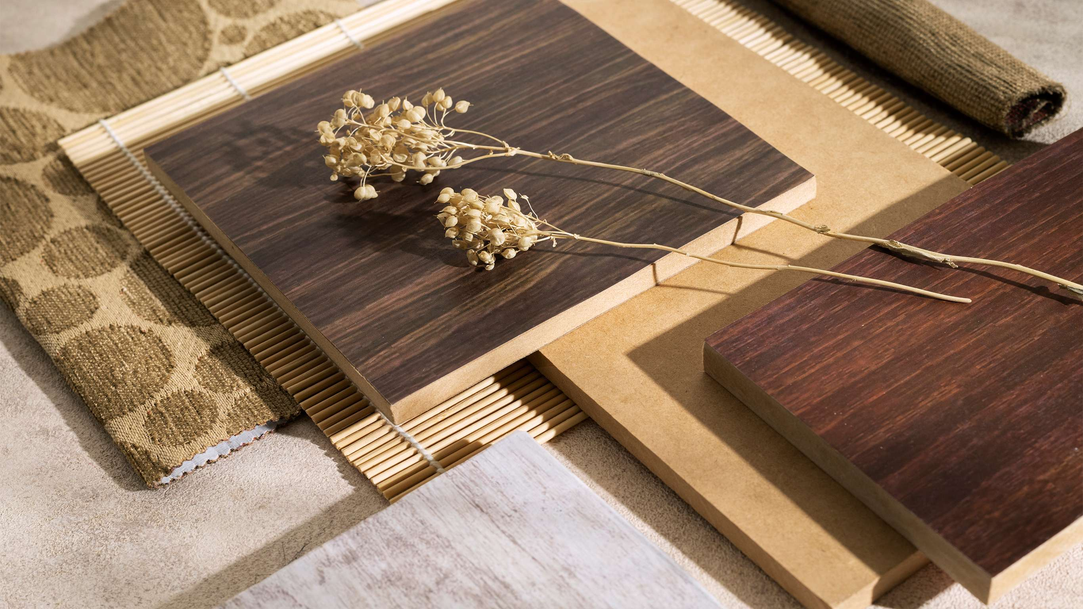
A moodboard is a visual collection of design elements such as images, colors, materials, textures, fonts, and sometimes keywords or quotes. These components are purposefully arranged on a flat surface (physical or digital) to convey a design style, central idea, or specific emotion for a project.
In the field of interior design in particular, a moodboard serves as an initial visual sketch, clearly defining the aesthetic direction of a space. It’s more than just a random assortment — it’s a harmonious combination of elements that reflect the vision and desires of the designer or homeowner.

The Benefits of Creating a Moodboard
With its ability to visually sketch out ideas, a moodboard helps designers save time during implementation and avoid unnecessary misunderstandings. It also sparks creativity, broadens perspectives, and opens up new directions before moving into detailed design. Let’s explore several practical benefits of moodboards in the interior design process with Mộc Phát:
-
Organizing Ideas
When starting a design project, ideas can arise sporadically and be difficult to grasp. A moodboard helps gather and systematically organize these ideas. By viewing all potential elements together on one surface, you can evaluate their compatibility and interconnections, leading to a coherent and clear conceptual framework.
-
Developing Ideas
Beyond merely gathering elements, a moodboard is a fantastic tool for developing ideas. During the selection and arrangement process, you might discover new, unique connections you hadn’t considered before. It’s also a safe space for experimentation, where you can freely create and adjust until you achieve a satisfying result.
-
Expressing Ideas
One of the most important roles of a moodboard is its ability to express ideas in a visually engaging and easy-to-understand way. Instead of relying on verbal descriptions, which can sometimes be difficult to visualize, a moodboard vividly communicates design directions. This is especially helpful when working with clients or team members, ensuring everyone shares the same vision for the project.
Popular Types of Interior Moodboards
As Mộc Phát mentioned, a moodboard is essentially a curated collection of images, used to convey inspiration and design ideas visually. In interior design, there are three popular types of moodboards typically used to organize and clarify ideas — from overall concepts to detailed selections:
-
General Interior Design Moodboard
This type incorporates various elements such as primary color palettes, materials, furniture pieces, lighting, accessories, and even greenery. A general moodboard offers a comprehensive overview of the completed interior space. It also serves as a visual foundation for developing consistent and effective next steps in the design process.

Inspirational Interior Moodboard
- This type focuses on conveying a specific emotion, style, or source of inspiration. It may feature images not directly related to interior design but evoke a particular space or mood that the designer aims to capture. Inspirational moodboards are often more specific than general ones because they target the theme or concept you’re pursuing. For example, a coastal-inspired moodboard might include images of sandy beaches, ocean waves, seashells, and blue and white tones.

Project-Specific Interior Moodboard
Commonly used for specific projects, this moodboard focuses on detailed elements like curtain fabric samples, wood types for kitchen cabinets, or door handle designs. A project-specific moodboard helps clients clearly visualize the materials and products that will be used in their space. If you’re exploring Melamine board colors for furniture projects, you can check out available Melamine color options for more ideas.

Quick Guide to Building an Interior Design Moodboard
-
Clarify Your Design Goals and Define a Central Style
Before collecting images or materials, it’s important to identify your project goals and the interior design style you want to pursue (for example: minimalist, modern, classic, Scandinavian, etc.). This will give you a clear direction and prevent you from getting lost among countless options.
-
Use Visual Design Tools
Today, many free and paid online tools can help you easily and quickly create moodboards. Platforms like Canva, Pinterest, Design Bold, Adobe Express, Pixlr, and Figma offer user-friendly interfaces, extensive image libraries, and handy editing tools for your creative freedom. Alternatively, you can take a traditional approach by cutting and pasting images and material samples onto a physical board.
-
Build a Harmonious Color Palette
Color plays a crucial role in establishing the ambiance and mood of a space. Choose a primary color palette that aligns with your design style and project objectives. You can refer to basic color matching rules or find inspiration from ready-made color boards on design tools.
-
Collect and Organize Image References
Start gathering images, material samples, textures, and other design elements that align with your ideas. Opt for high-quality, high-resolution images. Arrange these elements in a balanced and visually appealing layout to create a clear, coherent composition.
If you’re looking for inspiration and unique material combinations, visit Mộc Phát’s Moodboard collection at [https://mocphat.com/tin-tuc/tin-ung-dung]. With its diverse styles and refined material pairings, Mộc Phát believes this will be a valuable resource for your design projects.
-
Add Notes for Better Understanding
To make your moodboard clearer and more user-friendly, include brief notes next to elements. You can annotate material names, color codes, dimensions, or any other relevant information. This enriches your content and makes it easier for others to grasp your ideas — especially useful when sharing your moodboard with clients or colleagues.
Some Free Moodboard Creation Tools
Nowadays, many online tools help users quickly arrange images, colors, and materials into visually organized layouts. These tools often feature simple drag-and-drop interfaces, making it easy to create moodboards that suit your personal design style. Using these platforms saves time, enhances visualization, and boosts efficiency in the design process:
-
Canva
A widely used online graphic design tool with an intuitive interface and a rich library of templates. You can easily search for and use free images, icons, and fonts to create your own unique designs. -
Pinterest
A free image-sharing social network where you can find countless interior design ideas and create boards to store your favorite images. From the ideas shared on Pinterest, you can effortlessly assemble a visual moodboard to define your design style and express your inspiration. Categorizing your boards by color, material, style, or specific space also helps you systematize ideas effectively and conveniently during the design process. -
Design Bold
Offers a range of pre-designed templates, allowing you to customize or create new designs from scratch with easy-to-use drag-and-drop tools. -
Adobe Express
Formerly Adobe Spark, this tool makes it easy to create professional designs based on ready-made templates. It’s also an excellent online tool for teams and small businesses. -
Pixlr
A free online photo editor with powerful features comparable to Photoshop. You can use Pixlr to edit and combine images into a unique product. Additionally, this software integrates AI technology to speed up your design process. -
Figma
A cloud-based user interface design tool, also highly effective for creating moodboards — especially when collaborating with others in real-time. It’s also helpful for UX/UI design and other creative projects.

So, you’ve just explored with Mộc Phát what a Moodboard is and how to easily create one. With the helpful information we’ve shared, we hope it has answered some of the questions you’ve been wondering about.
If you’re looking for advice on interior materials and solutions for your home, feel free to contact Mộc Phát — we’re always ready to support you.
Related news